
There are many different types of email accounts you can add to Outlook, including Office 365, Gmail, Yahoo, iCloud, and Exchange accounts.
Some third-party email providers, like Gmail, Yahoo, and iCloud, require you to change some settings on their websites before you can add these accounts to Outlook.
Add a new account quickly
Most email accounts, including Office 365, Exchange server accounts, Outlook.com, Hotmail.com, and Live.com accounts can be set up in a few quick steps.
-
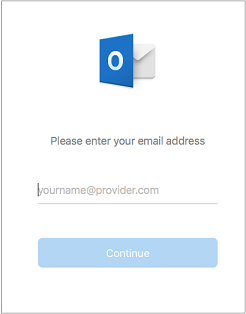
Type your email address > Continue.
-
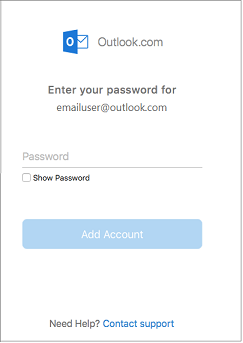
Type your password > Add Account. (Your screen might look different from this one depending on the account you're adding.)
-
If adding a Gmail, Yahoo, or other IMAP or POP account, you might be taken to those sites and asked to allow Outlook to access your mail, contacts, and calendars. Click Allow to continue.
-
Select Done to start using Outlook 2016 for Mac.

Comments
0 comments
Please sign in to leave a comment.